From CapCut cuts to studio timeline.
Translate cuts, multitrack audio, and captions directly into DaVinci Resolve and Premiere Pro. 100% locally on your computer.
Timeline Translation Comparison
Drag the slider to compare how CapCut cuts and tracks align inside DaVinci Resolve Studio.
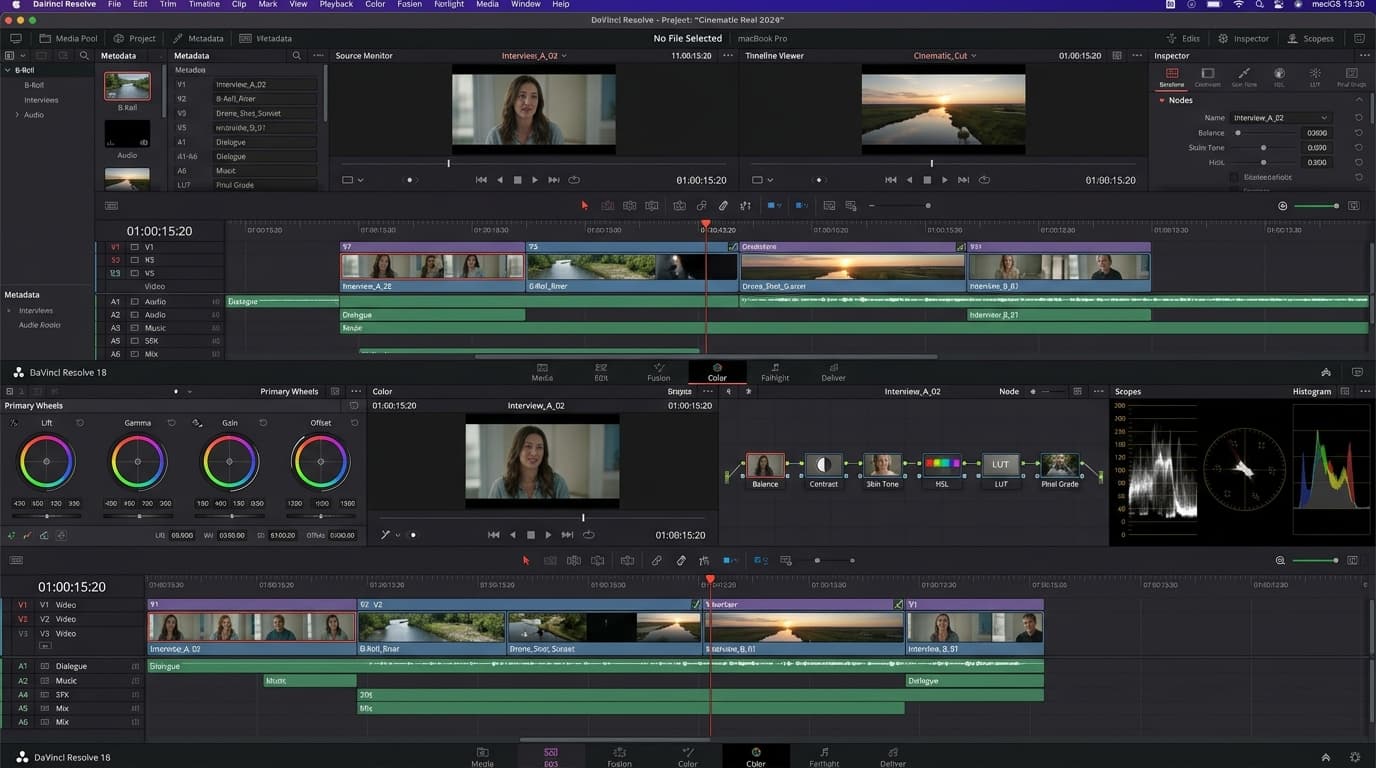
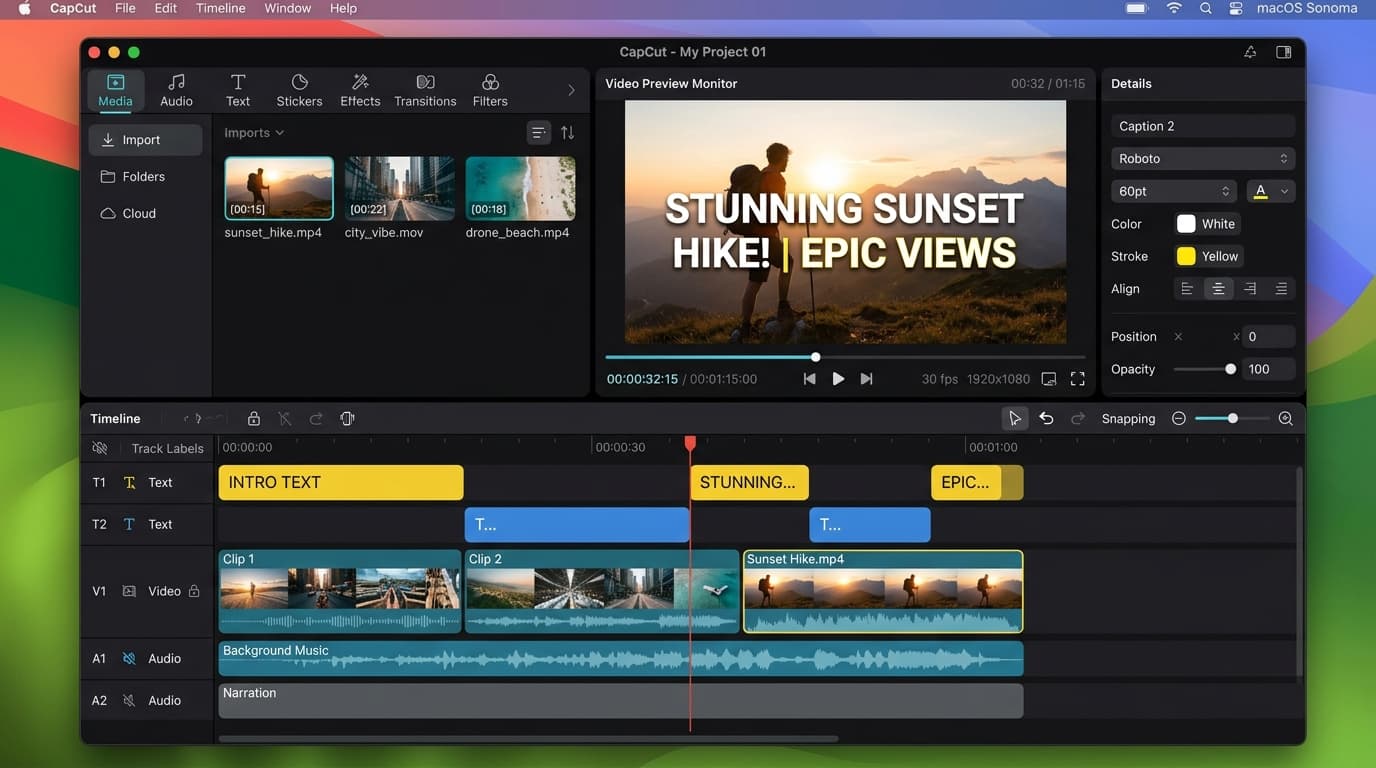
Crafted for high-end post-production.
Preserve every split second of your edit. Every cut and track translates with frame-accurate fidelity.
Frame-accurate cut boundaries.
Every cut, trim, and in/out point aligns down to the exact video frame timecode. No missing handles or audio sync drift.
Multitrack isolation.
Dialogue, background score, voiceovers, and sound effects cleanly separated on dedicated audio lanes.
Standard FCP7 XML.
Exported as universal sequence XML and timestamped SRT subtitles ready to import in 1 click.
<xmeml version="5">
<sequence id="timeline">
<rate>24 fps</rate>
<tracks>V1, V2, A1, A2</tracks>
</sequence>
</xmeml>
Ready for professional color grading & mix.
Break out of mobile app limitations. Grade individual shots with 10-bit color wheels, HDR curves, and Fairlight audio mastering.
Three simple steps.
Select your project
Drop your CapCut project folder or draft JSON file. Media files stay on your machine.
Inspect timeline
Review cuts, tracks, and subtitles with frame-accurate timing in under 5 seconds.
Export to studio NLE
Download your XML sequence and open directly in DaVinci Resolve or Premiere Pro.
Frequently Asked Questions
Are my source video files uploaded to your servers?
No, never. All processing runs 100% locally in your browser. Only the project blueprint file is read; your media files never leave your computer.
Can I test my project before paying?
Yes. Project analysis is free. You can download a free 5-clip XML test archive immediately to verify audio sync and cutpoints in your editor before unlocking.
Which CapCut versions and formats are supported?
CapCut Desktop for macOS and Windows, as well as JianYing Desktop drafts. Supports 1080p, 4K, custom FPS, and vertical 9:16 reels.
Is this a recurring subscription?
No subscription. Each project conversion is a single flat payment of $7.99. No recurring charges, no account creation required.
Ready to finish your edit in DaVinci Resolve or Premiere?
No account required. Drop your CapCut project and download a free 5-clip XML test sequence in seconds.